

Helping Schedulers Take Control Over P6 Project Data
Ensure data confidentiality when sharing Primavera XER and XML project schedules, save time and keep a clean P6 database.
Fast, Simple and Automated XER File Control
remove, convert or anonymize sensitive data within XER and XML project files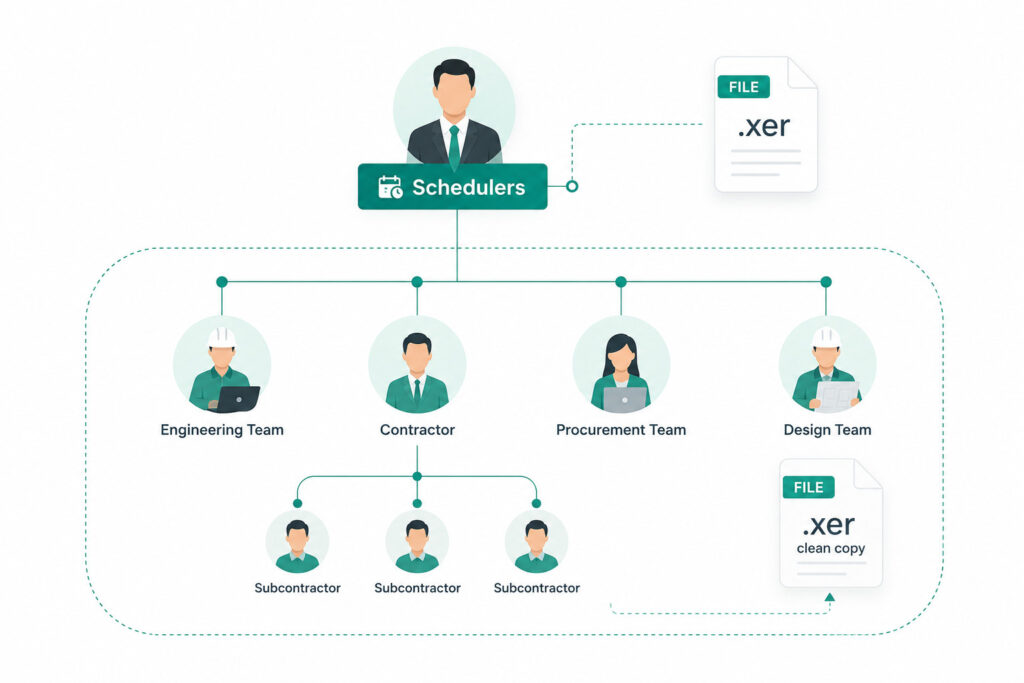
Secure Sharing of Project Data
ScheduleCleaner is designed to provide schedulers and planners with greater control over the project data within XER & XML schedules, by allowing them to customize the data in each schedule to the specific stakeholder needs before sharing the file within or outside the organization.
The solution allows you to remove, modify or anonymize more than 80 categories of project data in both XER and XML project files, such as: Units, Costs, Pricing, Resource Rates, POBS tables, Risks and more.
- Helps keep sensitive data confidential when sharing project files
- Allows you to share project data with confidence
- Saves valuable time spent on manually removing data
Keep a Clean P6 Database
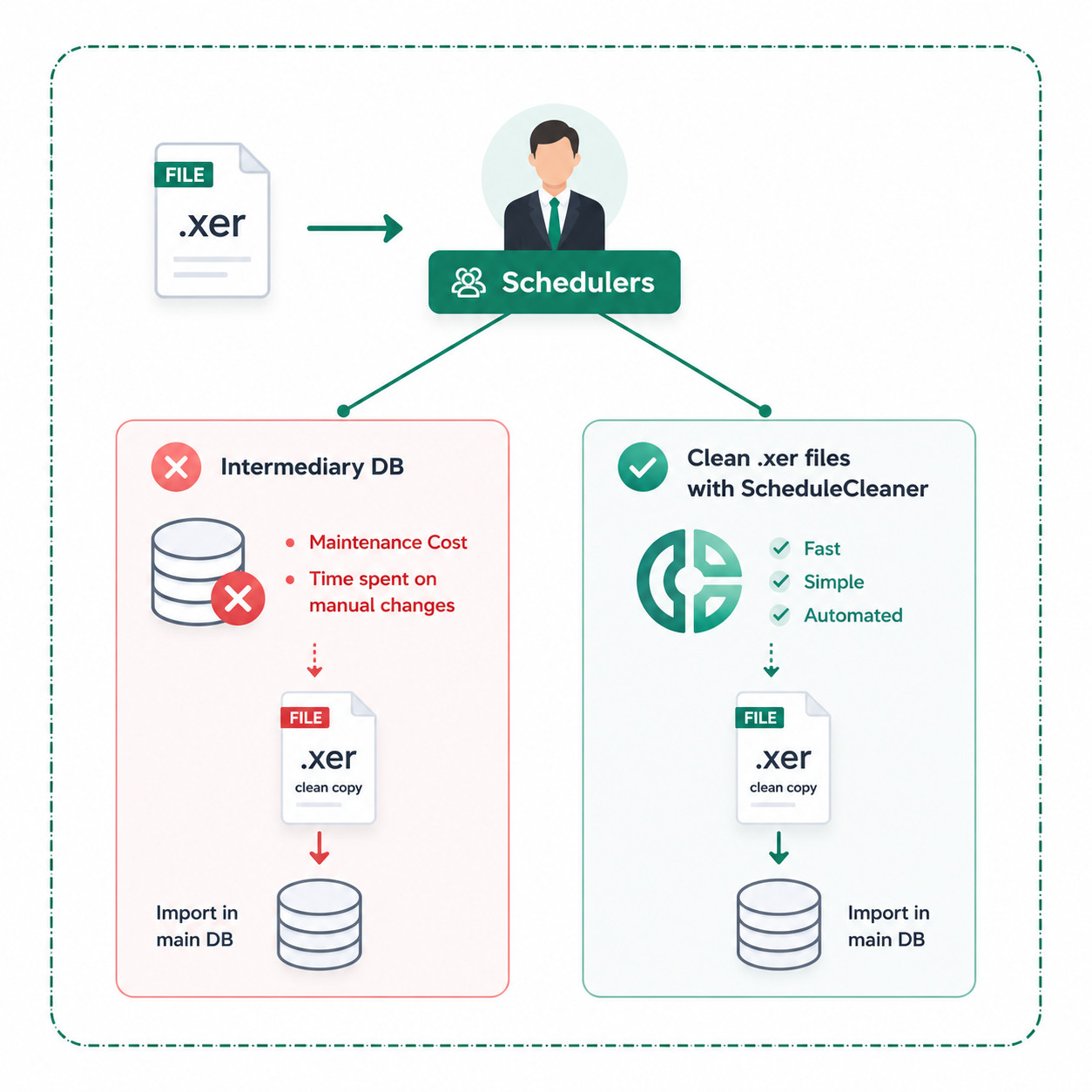
ScheduleCleaner plays a key role in the prevention of database pollution with unwanted data by acting as a security filter that helps validate and optimize existing XER and XML files or schedules received from external sources for database import.
The software supports the conversion of Global Activity Codes and Calendars to Project level, and vice versa, and allows the user to erase POBS and risks data, which can cause further complications after the import process.
- Helps avoid database pollution with unwanted Global and Risk data
- Eliminates intermediary database maintenance & investment costs
- Improves performance and load times of file imports in P6 database
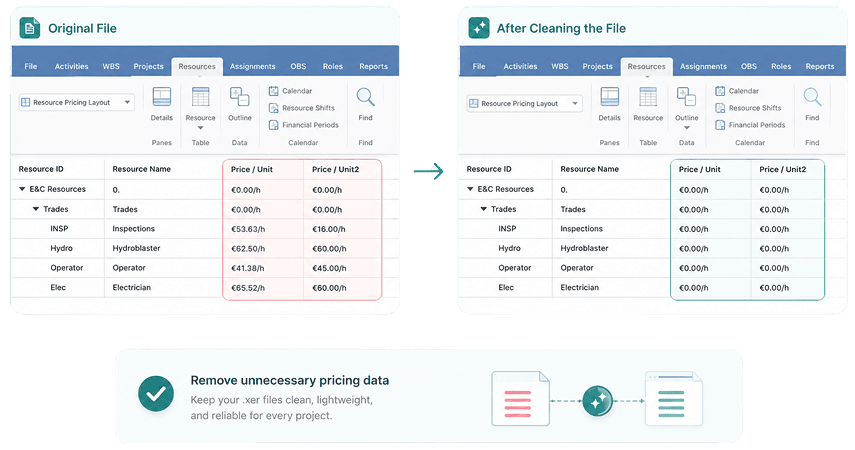
How it Works? Case: Remove All Pricing for Resources
This example illustrates the project plan state before and after the file is “cleaned” with ScheduleCleaner. With few simple steps, users can quickly remove all “Pricing for Resources. The same results applies to removal of other data categories such as costs, units, progress, POBS, risks and more.
Case Study: How Layton Construction Improved Productivity by Automating The Removal of Proprietary Information in XER Files
Discover More Use Cases
Resource Names
to Project Data
From XER Files
Key Features
Remove Project Data
Remove values for different data categories in .xer and .xml schedules exported from Primavera P6 such as costs, units, rates, POBS and more.
Mask Project Data
Intentional obscuring/masking of the intended meaning of specific project data, so that they are less clear and more difficult for others to understand.
Add Prefix/Suffix to Data Values
Add prefix or suffix to the values of different project data.
Convert Global to Project Data
Changing global into project data refers to keeping data unique for specific projects, not allowing pollution at the source, specifically when working with Calendars and Activity Codes.
Template Automation
Templates allow you to define specific modification settings to be used on a number of project files. They can be saved and re-used multiple times with Batch clean, which saves valuable time.
Try ScheduleCleaner In Your Environment
ScheduleCleaner has quickly positioned itself as a must-have tool for any project scheduler and database administrator working with Primavera P6 and XER schedules. Request a free trial version or request a demo session where we can walk you through using the software and answer any questions.