
Remove Project Data
Remove values for different data categories in .xer and .xml schedules exported from Primavera P6 such as costs, units, rates, POBS and more.
Ensure data confidentiality when sharing Primavera XER and XML project schedules, save time and keep a clean P6 database.
Remove, convert or anonymize sensitive data within Primavera P6 XER and XML project files.
Remove values for different data categories in .xer and .xml schedules exported from Primavera P6 such as costs, units, rates, POBS and more.
Intentional obscuring/masking of the intended meaning of specific project data, so that they are less clear and more difficult for others to understand.
Add prefix or suffix to the values of different project data.
Changing global into project data refers to keeping data unique for specific projects, not allowing pollution at the source, specifically when working with Calendars and Activity Codes.
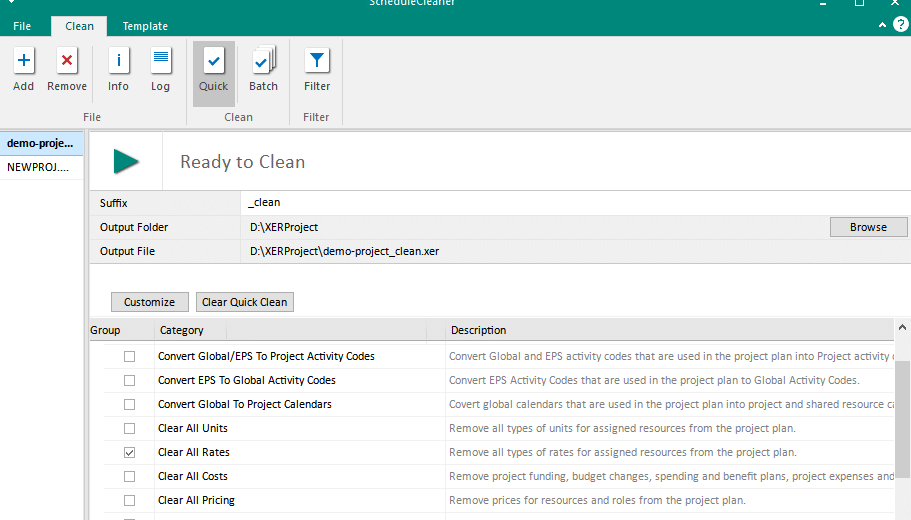
Where a template is more than the job needs, Quick Clean clears rates, costs and units from a schedule in one pass and writes the result to a new file, leaving the original untouched.
Templates allow you to define specific modification settings to be used on a number of project files. They can be saved and re-used multiple times with Batch clean, which saves valuable time.
ScheduleCleaner is designed to provide schedulers and planners with greater control over the project data within XER & XML schedules, by allowing them to customize the data in each schedule to the specific stakeholder needs before sharing the file within or outside the organization.
The solution allows you to remove, modify or anonymize more than 80 categories of project data in both XER and XML project files, such as: Units, Costs, Pricing, Resource Rates, POBS tables, Risks and more.
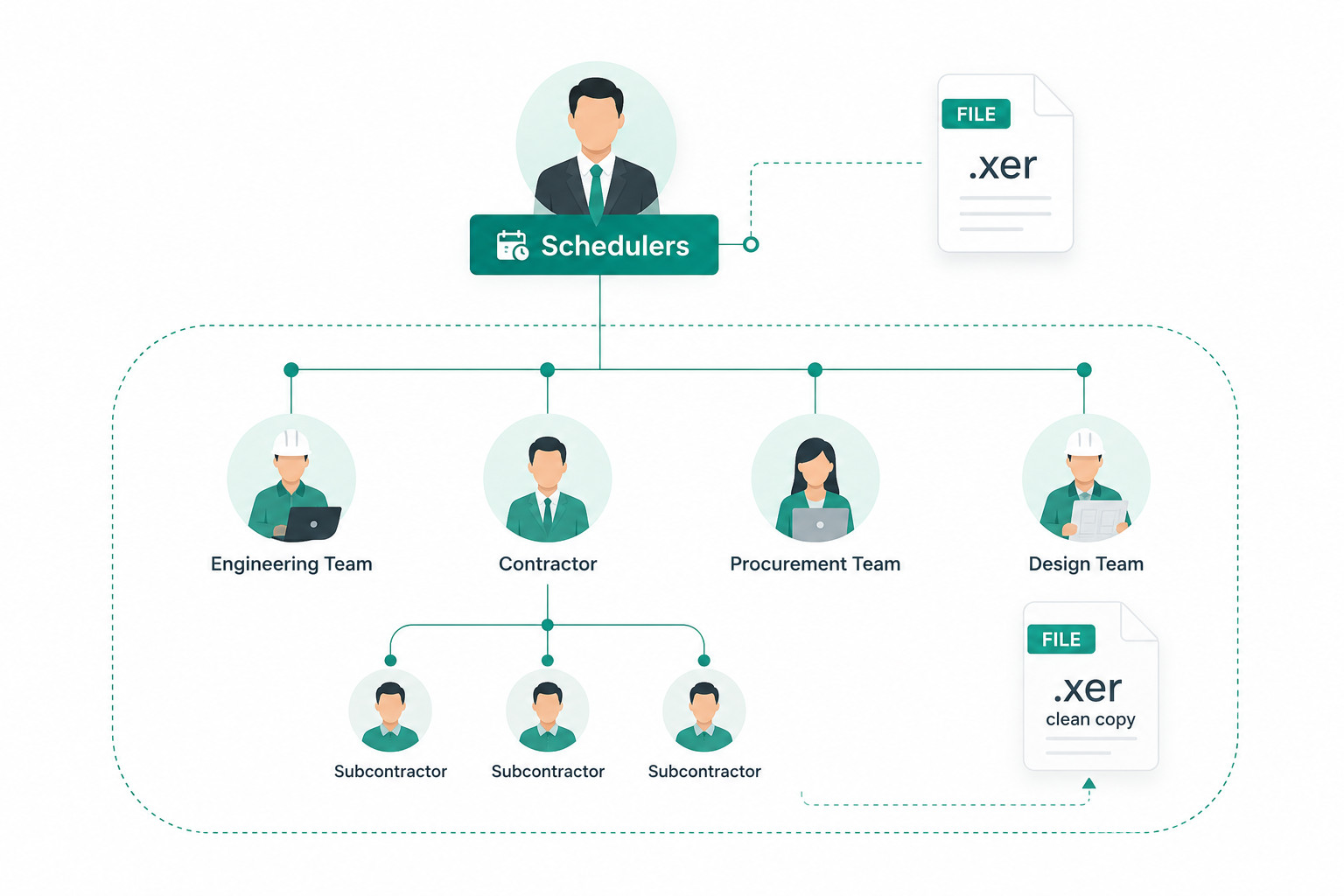
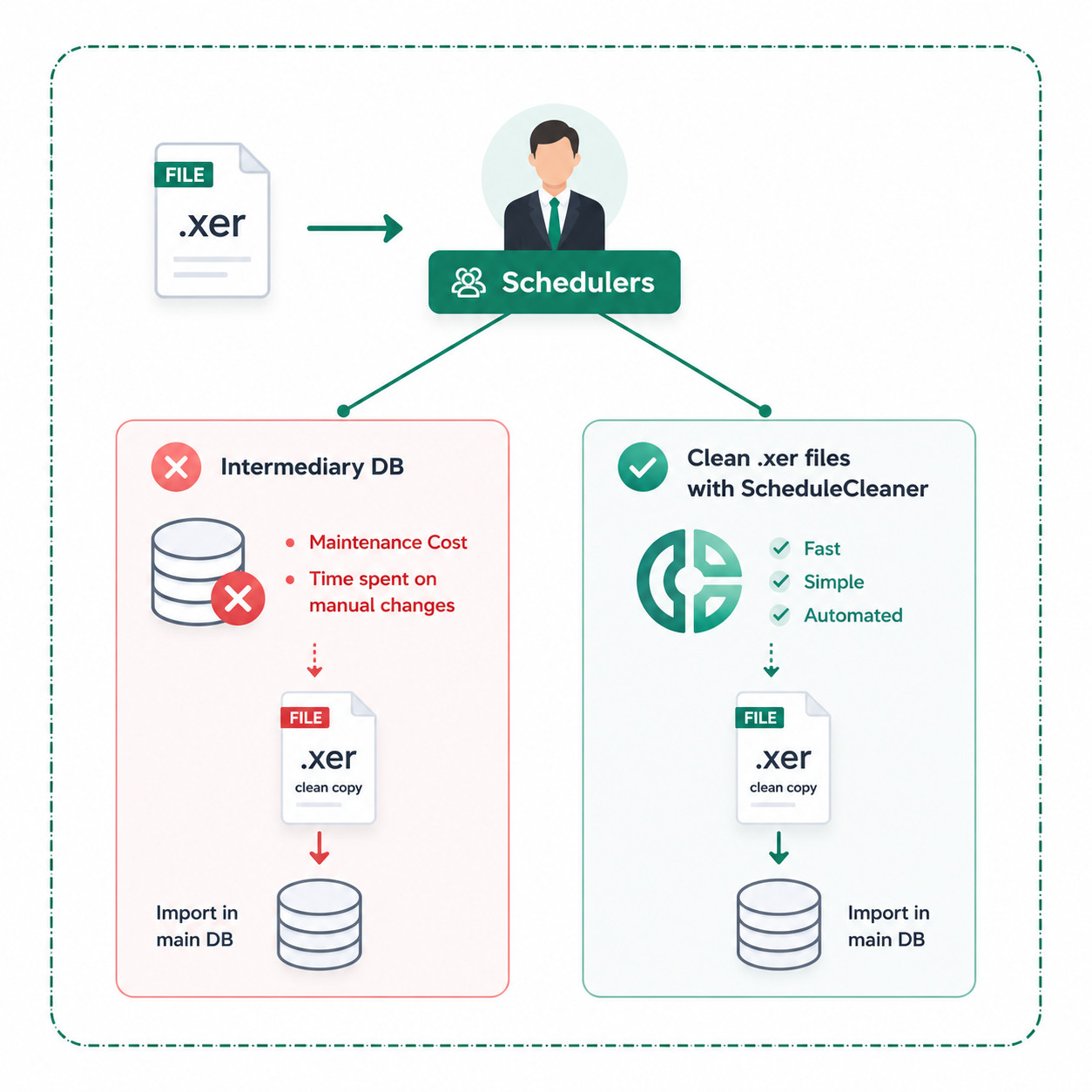
ScheduleCleaner plays a key role in the prevention of database pollution with unwanted data by acting as a security filter that helps validate and optimize existing XER and XML files or schedules received from external sources for database import.
The software supports the conversion of Global Activity Codes and Calendars to Project level, and vice versa, and allows the user to erase POBS and risks data, which can cause further complications after the import process.
This example illustrates the project plan state before and after the file is “cleaned” with ScheduleCleaner. In a few simple steps, users can remove all pricing for resources. The same result applies to removal of other data categories such as costs, units, progress, POBS, risks and more.

Case Study
How Layton Construction automated removal of proprietary info from Primavera P6 XER files with ScheduleCleaner saving time and protecting sensitive data.
Read the Case StudyMask and shield your resource names and other confidential project data before a schedule leaves the organization. Read More about Anonymize Resource Names
Prepare P6 schedules for database import by converting Global calendars and activity codes to Project data. Read More about Convert Global to Project Data
Clean POBS tables out of XER files to shrink the file size, speed up the database import and cut file bloat. Read More about Remove POBS Data From XER Files
An XER file is the standard export format used by Oracle Primavera P6 to share project schedules.
Cleaning these files helps prevent database pollution when importing schedules from external sources. Cleaning also helps to remove any confidential information within the file when sharing it with stakeholders.
POBS data refers to specific tables embedded within XER files that can cause unnecessary file bloat and complicate the database import process. The software automatically strips these unwanted POBS tables from your project schedules, which significantly reduces the file size and ensures a smoother import.
Cleaning XER files actively manages the global data present during file imports. It helps to prevent your main database from being cluttered or accidentally overwritten with Global data. The software achieves this by providing the option to convert Global type data such as Activity Codes and Calendars down to the Project level, ensuring safe and secure database imports.
Yes, you can fully anonymize sensitive project information before distributing your schedule to external stakeholders. The tool allows you to mask or permanently remove over 80 categories of data, including resource names, labor rates, and pricing.
ScheduleCleaner has quickly positioned itself as a must-have tool for any project scheduler and database administrator working with Primavera P6 and XER schedules. Request a free trial version and run it on one of your own schedules.